Remote Desktop and Windows App
LISSTECH ENDPOINT OPERATIONS / SERIES 01
TYPE
ANYWHERE.
Clipboard blocked? KeyPaste converts confirmed text into layout-aware physical keystrokes for the consoles that refuse to paste.
- EV Signing planned for release
- 0 network calls
- 11 deterministic tests
001
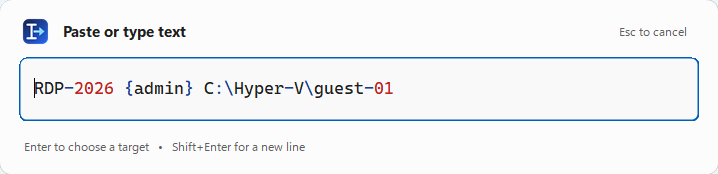
THE PALETTEPaste. Aim. Click. Done.
01
THE PROBLEM
Remote consoles expect a keyboard.
Give them one.
RDP, Hyper-V, VMware, and support viewers can reject clipboard redirection or Unicode text injection. KeyPaste speaks the primitive they already trust: timed physical scan-code transitions.
OPERATION / FOUR MOVES
From thought to target
in seconds.
- 01CALL IT
Press your configurable global shortcut from any host application.
- 02LOAD IT
Paste or type in a centered, syntax-colored monospace palette.
- 03AIM IT
Press Enter. A non-activating hint follows the pointer.
- 04LAND IT
Click the target. KeyPaste sends exact physical key transitions.
CONTROL / WITHOUT CLUTTER
Built like a utility.
Finished like a product.
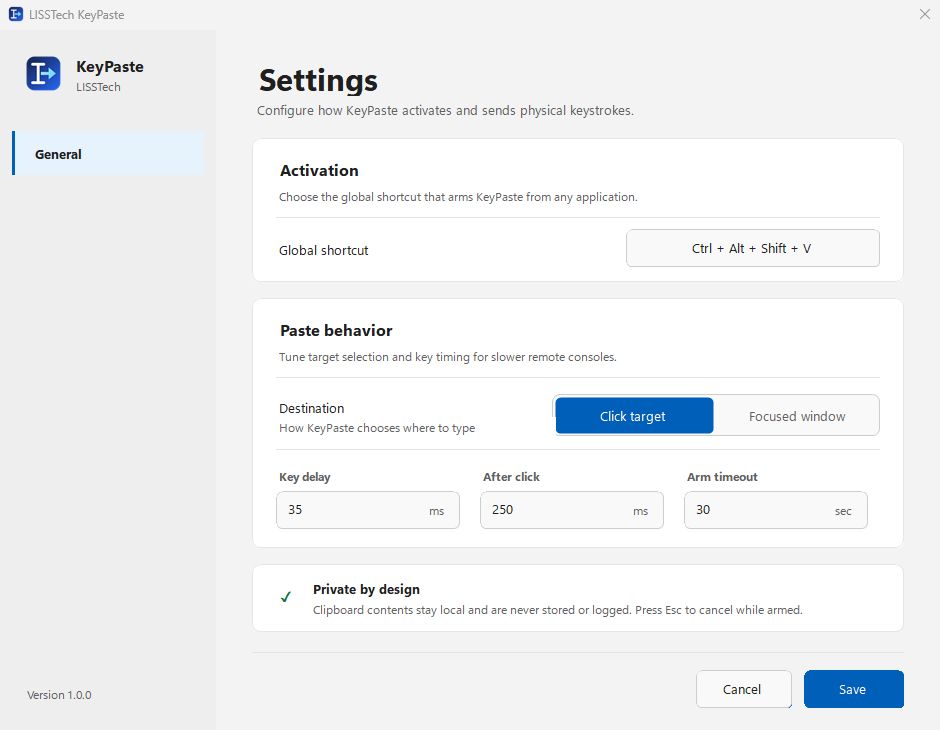
Adaptive Fluent surfaces. A compact tray menu. Deliberate spacing. Clear target modes. Timing controls for the slowest remote transport.
Adaptive light + dark
High-DPI artwork
Click-target hooks
Layout-aware mapping
COMPATIBILITY / THE GRID
One host.
Every console.
KeyPaste avoids target-specific integrations. If a console can receive Windows keyboard input, KeyPaste can usually reach it.
Basic and Enhanced Session Mode
Workstation and vSphere consoles
Native and browser remote viewers
K/P
SECURITY / ZERO EXFILTRATION
Your text never leaves the workstation.
No network client. No telemetry SDK. No stored history. No screenshots. The low-level hooks observe only left-button release and Escape while target selection is armed.
ENGINEERING / UNDER THE HOOD
Boring internals.
Exceptional behavior.
01PREFLIGHT
The whole string maps before the first key is sent.
02LAYOUT
Characters resolve through the active foreground keyboard layout.
03TIMING
Modifiers, holds, releases, and gaps are explicit and configurable.
04CLEANUP
Hooks and native resources release on every terminal path.
LISSTECH KEYPASTE / PREVIEW